


One of the best free text, voice and video chat app is Discord, where you can socialize with your friends and your community. From discussions about the study to projects, art, family events, weddings, mental health support, people use Discord daily to talk about all kinds of things. If you’re new to Discord or looking for communities with similar interests, one of the most common questions that may pop in your mind is, How to Search Discord Servers. This article can be your guideline to Discord, Discord Servers, and finding discord servers easily.
Tell Me About Discord
At its core, Discord is a multi-platform-supported chat app, quite similar to Skype or corporate communication tools like Slack. It’s designed particularly for gamers, allowing players to locate one another, coordinate play, and communicate while playing. It allows users to communicate in various ways, including video calls, audio chat, and text.
When you’re playing PC games, Discord comes in very handy is it makes voice chats simple, and it has search features that can help you find new players to join your game with a quick conversation. Many people use it as an organizational and social tool and talk to each other while playing games.
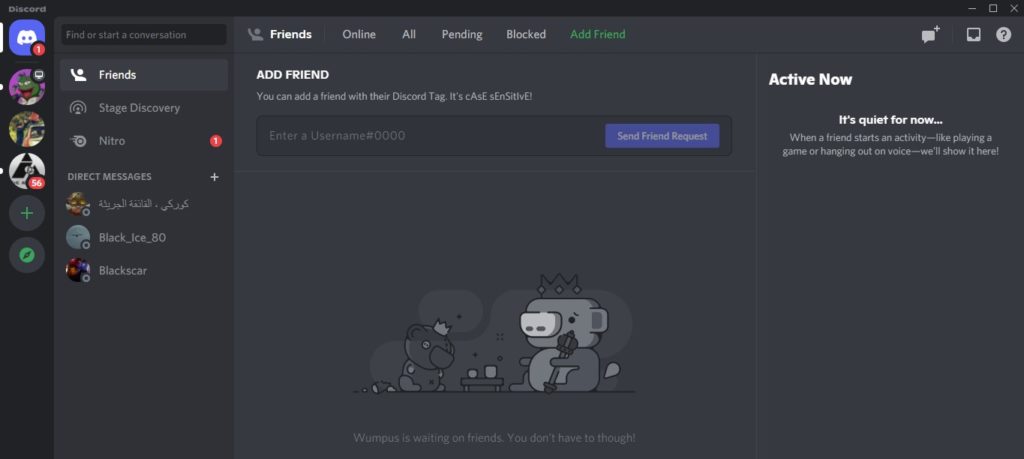
Discord Servers, the Modern Chat-rooms
Discord servers are one of the key features of Discord and are closely integrated into the platform. Almost all chat apps allow you to set up chat rooms for talking to multiple people; Discord is no different. Discord chat rooms are known as servers, and they come with many options for you to customize. When someone gets invited to a server, they will receive a link that will allow them to join and text or voice chat with other individuals on the server, which is the most common method for people to build communities on Discord with like-minded people.
Instead of one large live forum, each server may be divided into “channels,” smaller chat rooms for conversations on certain themes. To make it even easier to use, channels are available in both text and speech modes. Individual channels on your server can also be made private, allowing only those who have been invited to use them. Furthermore, the entire server may be made public, allowing everyone to join, or private, allowing only invited guests to join.
Finding Discord Servers to Join
Discord servers exist for a variety of hobbies, including gaming, cinema, art, and more. Although joining servers is easy, finding the ones best suited for you can be challenging at times. You might be unsure where to begin if you’re new to Discord. Here are the most effective methods for locating the finest Discord servers that match your preferences.
Method 1: Using ‘Explore Public Servers’ Option
- In the Discord homepage from your app or web browser, click on the ‘Explore Public Servers’ icon on the far-left panel inside your Discord.
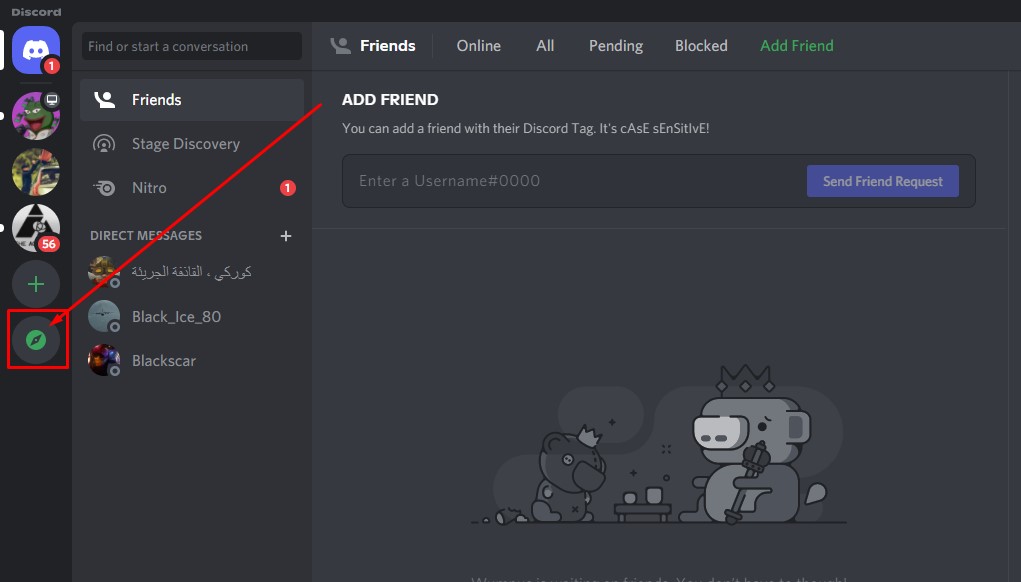
- You should find yourself in Discord’s official directory of Discord servers. Here, you can search for servers using the search option on the top or discover servers about gaming, music, education, science & tech, and entertainment.

- If you see a server that piques your interest and want to find more about it, click on it. You will be taken to the server’s page to know what that server is about in detail.
- Once you decide to join a Discord server, you can do it easily by clicking the Joinbutton on top of the screen.

This is how you can find and join Discord servers easily within the Discord app.
Method 2: Using Third-Party Websites
There are several websites on the internet dedicated to Discord Servers. You can find various information like what those servers are about, how active they are, server language, geographical locations, etc., from those websites. Websites like these allow you to search and join many servers in a very short amount of time. A few of those websites are features in this article:
- Disboard.org: The Disboard site can be another option for finding the finest Discord servers. Disboard provides a list of Discord servers covering various themes, such as games like Valorant, Genshin Impact, League of Legends, CS: GO, and anime and manga fandoms. There are other servers for music, tech, memes, entertainment, and just vibing with like-minded people.
- Discord.me: Discord.me is another site that is useful for finding Discord servers from the list they have. This site mostly focuses on servers related to games, anime, music, art, streaming, esports, and cryptocurrency, as these tags are shown right on the homepage, but you can find a lot more of you’re digging a little deeper.
Method 3: Using other Social Media Platforms
You can search for popular Discord servers using the methods mentioned above. But sometimes, for finding specific communities, you can use the methods listed below:
- Many individuals and companies link their Discord servers to their social media pages.
- Many artists in Patreon also have a dedicated Discord Server for their supporters to interact with each other and others.
- It is also common these days for Facebook groups to have their own Discord servers where members can hang out with audio and video calls.
How to find discord servers
Conclusion
Whether you have just started using Discord or are a veteran user, chances are, you often find yourself looking for servers to join in. In this day and age of internet communities, Discord truly stands as one of the most used platforms for connecting with others. As you are allowed to join as many Discord servers as you want, take your time to browse and explore servers to find the ones that match your interests.